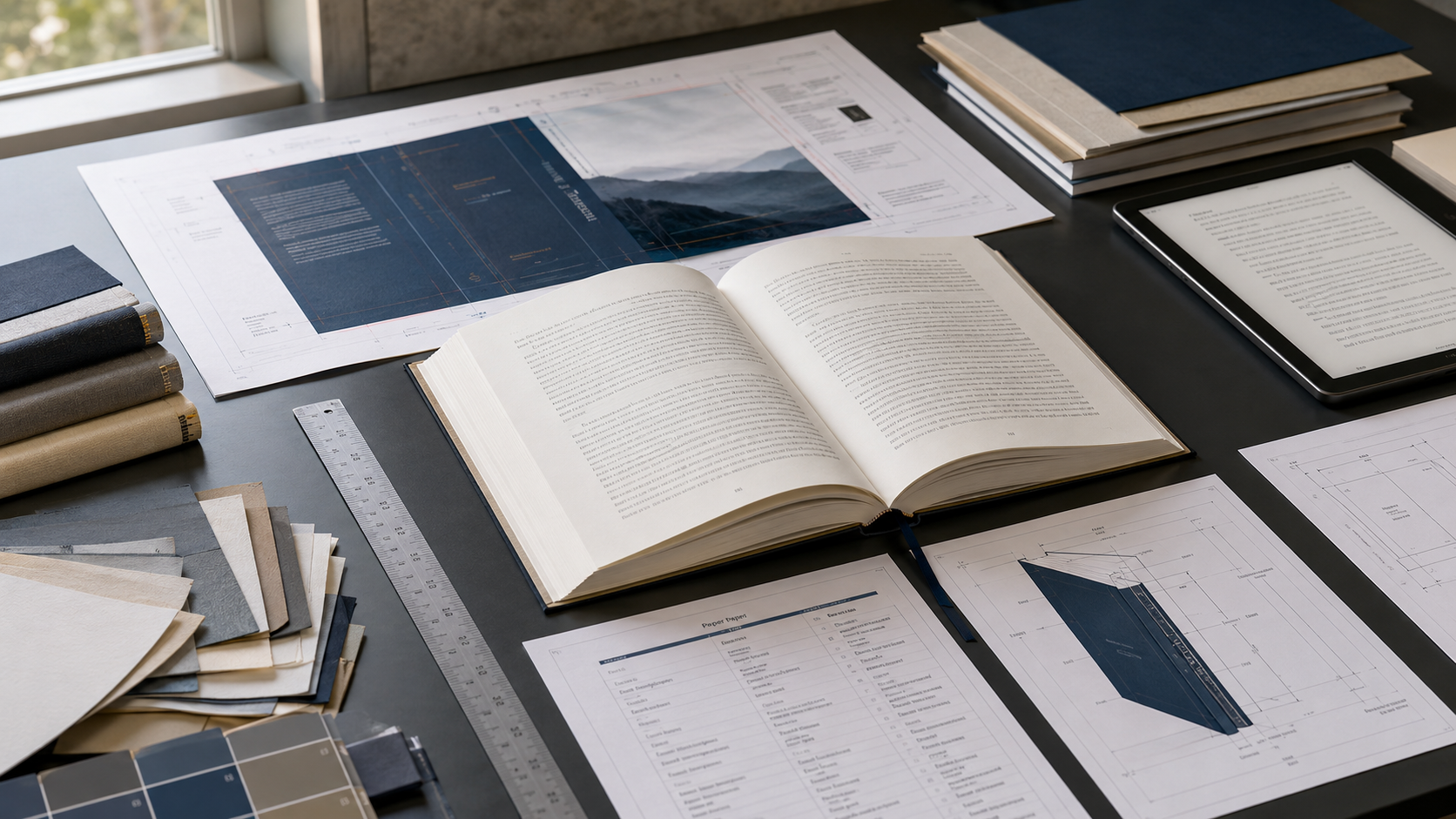
Create the Book’s Production Specifications Before Formatting
Book formatting should never begin with fonts, chapter ornaments, margins, or page numbers. It should begin with a production plan.
Before a designer opens Adobe InDesign, Microsoft Word, Affinity Publisher, Vellum, Atticus, or another formatting program, the publisher must decide exactly what is being produced. A 6 × 9-inch black-and-white paperback is not the same product as a 5.5 × 8.5-inch hardcover, a reflowable EPUB, or an audiobook. Each edition has its own technical requirements, manufacturing limitations, file structure, identifiers, pricing considerations, and distribution options.
When those decisions are postponed until formatting is underway, every later stage becomes vulnerable. Margins may need to be changed. The page count may increase. The spine width may become inaccurate. Cover artwork may need to be rebuilt. Images may no longer fit the selected trim size. A hardcover edition may not qualify for the dimensions or page count originally chosen. An ebook created from a print layout may display poorly on phones and tablets.
The solution is to create a written production specification sheet before formatting begins.
This document becomes the production blueprint for the book. It records the exact formats, trim sizes, binding methods, paper selections, ink choices, bleed settings, distribution platforms, file requirements, and other decisions that govern the project. Editors, formatters, cover designers, publishers, and authors can then work from the same approved specifications.
Begin by Selecting the Intended Formats
The first production decision is determining which editions will be released. Common options include:
Reflowable EPUB
Fixed-layout EPUB
Paperback
Case-laminate hardcover
Dust-jacketed hardcover
Large-print paperback
Workbook or journal edition
Audiobook
PDF digital edition
Special direct-sale edition
An author does not have to publish every format at the same time. However, the likely editions should be considered before the first production file is designed.
A novel may initially be released as an EPUB and a 5.5 × 8.5-inch paperback, followed later by a hardcover and audiobook. A business manual may need a 7 × 10-inch paperback to accommodate tables, diagrams, and worksheets. A children’s picture book may require a color interior, full bleed, a square trim size, and a fixed-layout EPUB. A journal may need a larger trim size, white paper, generous writing space, and a binding that remains usable during repeated writing sessions.
These are not simply marketing choices. They affect the architecture of the book.
The intended formats determine which files must be created, how the manuscript must be structured, what kinds of images are suitable, which ISBNs may be needed, how the cover is built, and which distribution channels can manufacture or deliver the edition.
At a minimum, the production plan should identify the formats expected at launch and the formats being reserved for later development. This prevents the team from making decisions that unnecessarily limit future editions.
For example, low-resolution graphics that appear acceptable in an ebook may not reproduce cleanly in a printed workbook. A highly complex print table may become unreadable on a phone unless the ebook version is redesigned. Decorative chapter titles created as images may reduce ebook accessibility and prevent readers from adjusting the type size.
Planning the full product family early makes it possible to preserve flexibility.
Determine the Trim Size Before Designing the Interior
Trim size is the final physical width and height of a printed book after its pages have been cut. Common trade-book sizes include 5 × 8 inches, 5.5 × 8.5 inches, 6 × 9 inches, 7 × 10 inches, and 8.5 × 11 inches, but availability varies according to the printer, binding, ink type, paper, and distribution program.
The trim size should be selected according to the book’s content and intended reader rather than personal preference alone.
A compact trim size may feel appropriate for poetry, devotional material, literary fiction, or a short gift book. A 6 × 9-inch format is widely used for novels and general nonfiction because it provides a familiar trade-book appearance while allowing a practical amount of text per page. A 7 × 10-inch trim may serve manuals, reference books, and instructional nonfiction. Workbooks, textbooks, journals, and image-heavy books may require a larger page.
The selected trim size directly affects page count. When the trim size becomes smaller, fewer words fit on each page. This normally increases the number of pages, widens the spine, raises the printing cost, and may require a higher retail price. When the trim size becomes larger, more words may fit on a page, but the book can become less portable and may no longer look appropriate for its genre.
Trim size also controls the available text area. A table that works comfortably on a 7 × 10-inch page may become cramped on a 5.5 × 8.5-inch page. A journal prompt that offers adequate writing space in an 8.5 × 11-inch edition may become impractical when reduced to 6 × 9 inches.
KDP advises publishers to establish the trim size, bleed, and margin settings correctly because improper dimensions can lead to upload rejection or visible print-quality problems. Its official guidance also provides minimum margin requirements based on page count and whether the book uses bleed. (Amazon Kindle Direct Publishing)
The trim size must therefore be confirmed before the interior is formatted. Changing it later is not a simple matter of shrinking or enlarging the completed pages. Text reflows, headings move, images shift, tables break, page endings change, blank pages appear or disappear, and the final page count may change substantially.
Choose the Binding Method
Binding affects both appearance and production.
A standard paperback is usually perfect bound. The printed pages are gathered into a text block, and the spine edge is attached to a paper cover with adhesive. This format is economical and widely supported through print-on-demand services.
A case-laminate hardcover uses a rigid board cover with the artwork printed and laminated directly onto the case. It does not use the same cover dimensions as a paperback. The cover must wrap around the boards and account for the hinge areas and other manufacturing allowances.
A dust-jacketed hardcover has an additional printed jacket wrapped around the case. The jacket includes front and back flaps and requires a production template that is different from both paperback and case-laminate hardcover templates.
Other projects may use saddle stitching, spiral binding, wire binding, lay-flat binding, sewn binding, or specialty manufacturing. These options may not be available through every print-on-demand platform and may require working with a short-run or offset printer.
The binding decision also influences the usable page area. Text and graphics placed too close to the inner edge may become difficult to see when the book is opened. Thick perfect-bound books generally require greater inside margins than thin books. Workbooks and journals may need more generous inner margins because the reader must write near the binding.
A binding that looks attractive in a product photograph may not serve the way the book will actually be used. The production specification should therefore record both the binding method and the practical reason for choosing it.
Select the Ink and Paper
The interior may be printed in black ink, standard color, or premium color, depending on the printer and product. Paper choices commonly include white and cream stocks, although exact weights and availability vary by platform.
Cream paper is often associated with novels and other text-heavy books because its warmer tone can be comfortable for extended reading. White paper is generally better for workbooks, manuals, journals, textbooks, photographs, diagrams, and books in which accurate contrast is important.
Color should be selected only when it adds enough value to justify its effect on printing cost. A single color photograph may force the entire interior to be manufactured as a color book. That can increase the unit cost significantly, reduce the available royalty, or require a retail price that the market will not accept.
The distinction between standard and premium color also matters. A lower-cost color option may be suitable for charts, illustrations, and basic educational graphics. Photography, art reproductions, or products whose value depends on rich color may need premium color and heavier paper.
Paper type affects more than visual appearance. It can influence the thickness of the text block and, consequently, the spine width. The same page count printed on different paper stocks can produce different spine measurements.
This is one reason the cover should not be finalized before the interior page count, paper, and binding have been confirmed.
Decide Whether the Interior Requires Bleed
Bleed is required when an image, background, line, color field, or other printed element is intended to extend fully to the edge of a trimmed page.
Printers cannot reliably cut every sheet at the exact boundary of the artwork. To avoid leaving an unintended white line at the edge, the artwork must extend beyond the trim line into an additional bleed area. The excess is removed during manufacturing.
A novel with text and small decorative elements contained safely inside the page margins normally does not need interior bleed. A children’s picture book with illustrations that reach the page edges does. A cookbook with full-page photographs may need bleed. A workbook with shaded boxes touching the page edge may also require it.
Bleed should not be added merely because it sounds more professional. It changes the required page dimensions and usually requires a print-ready PDF. It also demands careful positioning of text and essential graphics inside safe areas.
For KDP paperbacks, elements intended to reach the page edge must extend beyond the final trim boundary. The exact manuscript dimensions therefore depend on both the trim size and whether bleed is used. (Amazon Kindle Direct Publishing)
The specification sheet should state either “no bleed” or “full interior bleed.” It should also identify any sections containing edge-to-edge artwork so the formatter can verify that those pages comply with the printer’s current requirements.
Establish Distribution Requirements
A production file should be designed for the service that will manufacture or distribute it. Requirements that work on one platform may not transfer perfectly to another.
KDP is commonly used for Amazon ebook and print distribution. IngramSpark is often used for broader wholesale and bookstore distribution. Other publishers may use Draft2Digital, Apple Books, Kobo, Google Play Books, Barnes & Noble Press, Lulu, Bookvault, local printers, offset manufacturers, or direct-sales fulfillment services.
The production team should determine:
Which platform will print each edition
Whether expanded or wholesale distribution is required
Whether returns will be accepted
Which territories will be served
Whether the book needs a platform-provided ISBN or publisher-owned ISBN
Whether the same printer will be used for direct author orders
Whether a special edition will be manufactured elsewhere
Whether the files must meet more than one printer’s specifications
A publisher planning to distribute a paperback through both KDP and IngramSpark should choose a trim size, ink option, and paper type supported by both services. Otherwise, separate editions or separate files may be required.
The same principle applies to hardcover formats. A case-laminate hardcover available through one platform may not match the dimensions, paper, binding, or cover treatment offered by another.
IngramSpark’s trim-size resources show that manufacturing options depend on the combination of trim size, paper, ink, page range, and binding. Its guidance also notes that hardcover books generally cost more to manufacture than paperbacks, color costs more than black-and-white printing, and books with more pages cost more than shorter books. (ingramspark.com)
Distribution decisions should therefore be made before a designer assumes that a preferred trim size or product configuration is universally available.
Paperback, Hardcover, and Ebook Editions Need Separate Production Files
One manuscript may supply the content for multiple editions, but one finished production file should not be expected to serve every edition.
Paperback Files
A paperback generally requires two primary files:
A print-ready interior file
A full-wrap cover file containing the back cover, spine, and front cover
KDP describes the paperback manuscript and cover as separate upload files. The manuscript contains the front matter, body matter, and back matter, while the cover includes the front, back, and spine. (Amazon Kindle Direct Publishing)
The interior is created for a specific trim size, bleed setting, margin structure, and page count. The cover is then built around the exact measurements of that completed interior.
Hardcover Files
A hardcover may use similar interior content, but it should still be treated as a distinct edition. Its available trim sizes and page-count requirements may differ from those of the paperback. Its cover dimensions definitely differ.
KDP explicitly states that hardcover cover files have different measurements from paperback covers. It also instructs publishers to verify hardcover trim-size and page-count eligibility before using the interior-formatting resources. (Amazon Kindle Direct Publishing)
The hardcover may also need adjustments to its interior margins, title page, copyright information, ISBN, pricing, and edition statement. A hardcover intended as a premium edition may use larger type, additional front matter, illustrations, bonus content, or a different trim size.
A paperback cover should never be resized and submitted as a hardcover cover. The board wrap, hinge, spine, and safe-area requirements require a new template and a properly rebuilt design.
Ebook Files
A reflowable EPUB has no fixed trim size, physical spine, paper stock, or permanent page count. Readers can change the font, type size, line spacing, background, and screen orientation. The text must respond to those choices.
Apple Books explains that a flowing book is appropriate for primarily text-based content because its text can be resized and reflowed across different screen sizes. A fixed-layout book is intended for content requiring precise positioning, such as highly designed books, picture books, cookbooks, and art books. (Apple Help)
A print PDF is therefore not a substitute for a professionally prepared EPUB. Print files may contain running heads, fixed page numbers, blank pages, print-specific spacing, ornamental breaks, and manually positioned elements that do not function well in a reflowable environment.
The ebook should be created from clean, structured source content. Headings, paragraphs, lists, images, links, footnotes, and navigation should be encoded according to their purpose rather than their appearance alone.
The ebook edition may use the same front-cover artwork, but it normally needs only the front cover, not the paperback’s back cover and spine.
Audiobook Files
An audiobook is another separate product. It requires narration-ready text, audio recording, editing, mastering, chapter separation, opening and closing credits, cover artwork, and platform-specific audio files.
Material that works in print may need adaptation when spoken. Tables, footnotes, web addresses, image captions, worksheets, and visual references may need to be rewritten or omitted. A narrator cannot simply read a complex table and expect the listener to understand it.
Planning the audiobook before final editing allows the author to identify sections that may be difficult to narrate and prepare an audio-friendly script without changing the approved print edition unnecessarily.
Understand How Page Count Affects the Entire Product
Page count is not merely the number shown on the last numbered page. The printer calculates the physical production page count from all pages in the uploaded interior file, including unnumbered front matter, blank pages, and back matter.
The final page count affects the spine width. As the page count increases, the text block becomes thicker. Paper choice and ink option can also influence this thickness.
The page count may affect whether spine text is allowed. Very thin books may not have enough printable spine area for readable lettering. It can also determine which bindings are available and whether the project qualifies for hardcover production.
Page count affects printing cost because more pages require more paper, ink, and production time. A book that expands from 220 pages to 340 pages may need a different price to preserve the same royalty. If the market will not support that price, the publisher may need to reconsider the trim size, typography, image treatment, paper, or content structure.
However, reducing page count should not mean crowding the reader. Tiny type, narrow margins, tight line spacing, and cramped chapter openings can make a book look amateurish and uncomfortable.
The objective is not to achieve the lowest page count. It is to create the most appropriate reading experience at a sustainable manufacturing cost.
Calculate the Spine and Cover Only After the Interior Is Final
A print cover is manufactured as one continuous wrap. For a paperback, it includes the back cover, spine, and front cover, plus the required bleed. Hardcover products require additional manufacturing areas based on their binding construction.
The exact spine width cannot be confirmed until the following are known:
Final page count
Selected paper
Ink type
Binding
Printer
Trim size
KDP’s cover calculator generates exact dimensions and downloadable templates based on the selected format, trim size, paper, and page count. (Amazon Kindle Direct Publishing)
The cover designer should use a newly generated template for the final edition. An old template from a previous version should not be trusted after the page count or production choices have changed.
This is particularly important during late editing. Adding an index, workbook pages, references, illustrations, or bonus chapters can alter the spine. Removing material can do the same. Even typography changes may reflow enough text to change the page count.
The safest sequence is:
Complete editing.
Confirm production specifications.
Format the interior.
Proofread the formatted pages.
Lock the final page count.
Generate the correct cover template.
Complete and export the cover.
Upload both files.
inspect the digital preview.
Order and examine a physical proof.
Connect Production Choices to Printing Cost and Retail Price
Production specifications must support a commercially workable retail price.
A large trim size, premium color interior, heavy paper, hardcover binding, and high page count may create an impressive physical product, but the manufacturing cost may leave little room for wholesale discounts, retailer margins, author royalties, advertising, and shipping.
The publisher should calculate estimated printing costs before finalizing the product. This is especially important for books intended for bookstore or library distribution, where the publisher may need to offer a wholesale discount.
Consider two versions of the same instructional book. The first is a 6 × 9-inch black-and-white paperback with 260 pages. The second is a 7 × 10-inch premium-color hardcover with 260 pages. Although the content is identical, the products will have substantially different production costs, customer expectations, and viable retail prices.
The higher-cost edition may still be appropriate as a premium version, direct-sale product, conference package, or institutional edition. It may not be the best primary edition for a price-sensitive consumer market.
Specifications should be chosen according to the business model, not simply according to what appears most impressive.
Create a Written Book Production Specification Sheet
The production specification sheet should be concise enough to consult quickly but detailed enough to eliminate uncertainty. Every person working on the book should receive the approved version.
A practical specification sheet may include the following information.
Project Identification
Book title:
Subtitle:
Author or contributor name:
Publisher or imprint:
Edition:
Planned publication date:
Primary audience:
Primary book category:
Format Plan
Primary format:
Additional launch formats:
Future formats under consideration:
Separate ISBN required for each applicable edition:
Audiobook planned: Yes or No
Large-print edition planned: Yes or No
Paperback Specifications
Trim size:
Binding: Perfect bound
Interior ink: Black and white, standard color, or premium color
Paper: White or cream
Bleed: Yes or No
Reading direction: Left to right or right to left
Target page-count range:
Final page count:
Inside margin:
Outside margin:
Top margin:
Bottom margin:
Header and footer positions:
Printer or platform:
Distribution channel:
Interior file format: Print-ready PDF
Cover file format: Print-ready PDF
Cover finish: Matte or gloss
ISBN:
Retail price target:
Estimated printing cost:
Hardcover Specifications
Hardcover type: Case laminate, dust jacket, or another binding
Trim size:
Interior ink:
Paper:
Bleed:
Target page-count range:
Final page count:
Printer or platform:
Cover template source and date generated:
ISBN:
Retail price target:
Estimated printing cost:
Ebook Specifications
Ebook type: Reflowable EPUB or fixed-layout EPUB
Source format:
Navigation requirements:
Linked table of contents: Yes
Image treatment:
Maximum image dimensions or resolution:
Accessibility review:
External links checked:
Ebook ISBN, if used:
Distribution platforms:
Retail price target:
Audiobook Specifications
Narrator:
Narration script version:
Recording format:
Chapter-file structure:
Opening credits:
Closing credits:
Cover dimensions:
Distributor:
ISBN, if used:
Target running time:
Retail price strategy:
File-Control Information
Approved manuscript filename:
Approved manuscript date:
Interior source-file name:
Print PDF filename:
EPUB filename:
Paperback cover filename:
Hardcover cover filename:
Version numbering method:
Primary file custodian:
Backup location:
Approval authority:
This sheet should be dated and version controlled. When a specification changes, the revision should be recorded and distributed to everyone involved. A silent change in trim size, paper, ISBN, page count, or printer can invalidate work completed by another member of the production team.
Keep the Specifications Consistent Throughout Production
A specification sheet is useful only when it remains the controlling document.
The title entered into the distribution dashboard should match the approved title page and metadata. The trim size in the interior file should match the trim size selected during title setup. The ISBN assigned to the paperback should appear only in the paperback edition. The hardcover should use its own applicable identifier. The cover template should be generated from the final page count and correct paper selection.
File names should identify the edition clearly. A production folder should not contain several files named “final,” “final-new,” “final-corrected,” and “final-really-final.” A controlled naming system is safer, such as:
BookTitle_Paperback_Interior_6x9_v1.3.pdf
BookTitle_Paperback_Cover_6x9_312pp_v1.1.pdf
BookTitle_Hardcover_Cover_6x9_312pp_v1.0.pdf
BookTitle_EPUB_v1.2.epub
The page count can be included in print-cover filenames because it helps confirm that the cover corresponds to the correct interior. If the page count changes, both the template and cover filename should change.
Every upload should be checked against the specification sheet before submission.
Common Production Mistakes the Specification Sheet Prevents
One common mistake is formatting a manuscript at the default US Letter size and attempting to convert it to 6 × 9 inches at the end. The text reflows, images move, tables break, and the entire book must be reviewed again.
Another mistake is designing the cover before the page count is final. The result is an inaccurate spine that must be rebuilt after interior revisions.
Some publishers choose a trim size without checking whether it is available for the desired hardcover, paper, ink, or distribution program. Others design a full-bleed interior but export it at the standard trim dimensions without the required bleed extension.
Another frequent problem is submitting the same PDF for paperback and ebook distribution. The print layout may look acceptable on a large computer screen but become difficult to navigate on an e-reader or phone.
Specifications also prevent mismatched ISBNs, incorrect cover finishes, wrong paper selections, accidental color printing, and inconsistent title metadata.
Most of these problems are not caused by a lack of design talent. They are caused by making production decisions too late.
Build the Book Before You Decorate the Pages
Professional book production begins by defining the product.
The book must have an approved format, trim size, binding, ink type, paper, bleed setting, distribution plan, margin structure, file strategy, and pricing direction before its pages are designed. Those choices determine the available space, physical thickness, cover measurements, manufacturing cost, and reader experience.
Paperback, hardcover, ebook, and audiobook editions may share the same intellectual content, but they are separate publishing products. Each requires its own setup, production files, quality checks, and distribution decisions.
A written production specification sheet turns those decisions into a controlled publishing process. It reduces rework, prevents contradictory instructions, protects the integrity of the files, and gives every contributor a reliable standard to follow.
Do not begin formatting by asking which font looks best. Begin by asking what product is being manufactured, where it will be distributed, how the reader will use it, and what technical specifications will make that edition successful.
Once those questions have been answered and recorded, formatting becomes purposeful rather than experimental.
Authoritative Production References
Kindle Direct Publishing: Set Trim Size, Bleed, and Margins
Official KDP guidance covering print trim dimensions, bleed setup, and margin requirements. (Amazon Kindle Direct Publishing)
Kindle Direct Publishing: Print Cover Calculator and Templates
Official calculator for generating paperback and hardcover cover measurements based on format, trim size, paper, and page count. (Amazon Kindle Direct Publishing)
IngramSpark: Print Book Options and Trim Sizes
Official information on trim sizes, bindings, paper, color options, page counts, and the relationship between production choices and printing cost. (ingramspark.com)
Plan the Book Before You Format It
A professional book begins with clear production specifications. Before formatting starts, define the trim size, binding, paper, ink, bleed, distribution method, and file requirements for every planned edition.
Use a written production specification sheet to keep your paperback, hardcover, ebook, and audiobook files consistent from the first design decision through final publication.
Create the specifications first. Format the book second. Publish with fewer mistakes, lower costs, and greater confidence.